Skip to content

Disbursement Requests

SeedTrust uses disbursement requests (DRs) to move approved funds out of escrow. The admin workflow supports two review speeds:

  • Standard review for requests that need staff judgment, contract checks, missing-information handling, or approval routing.
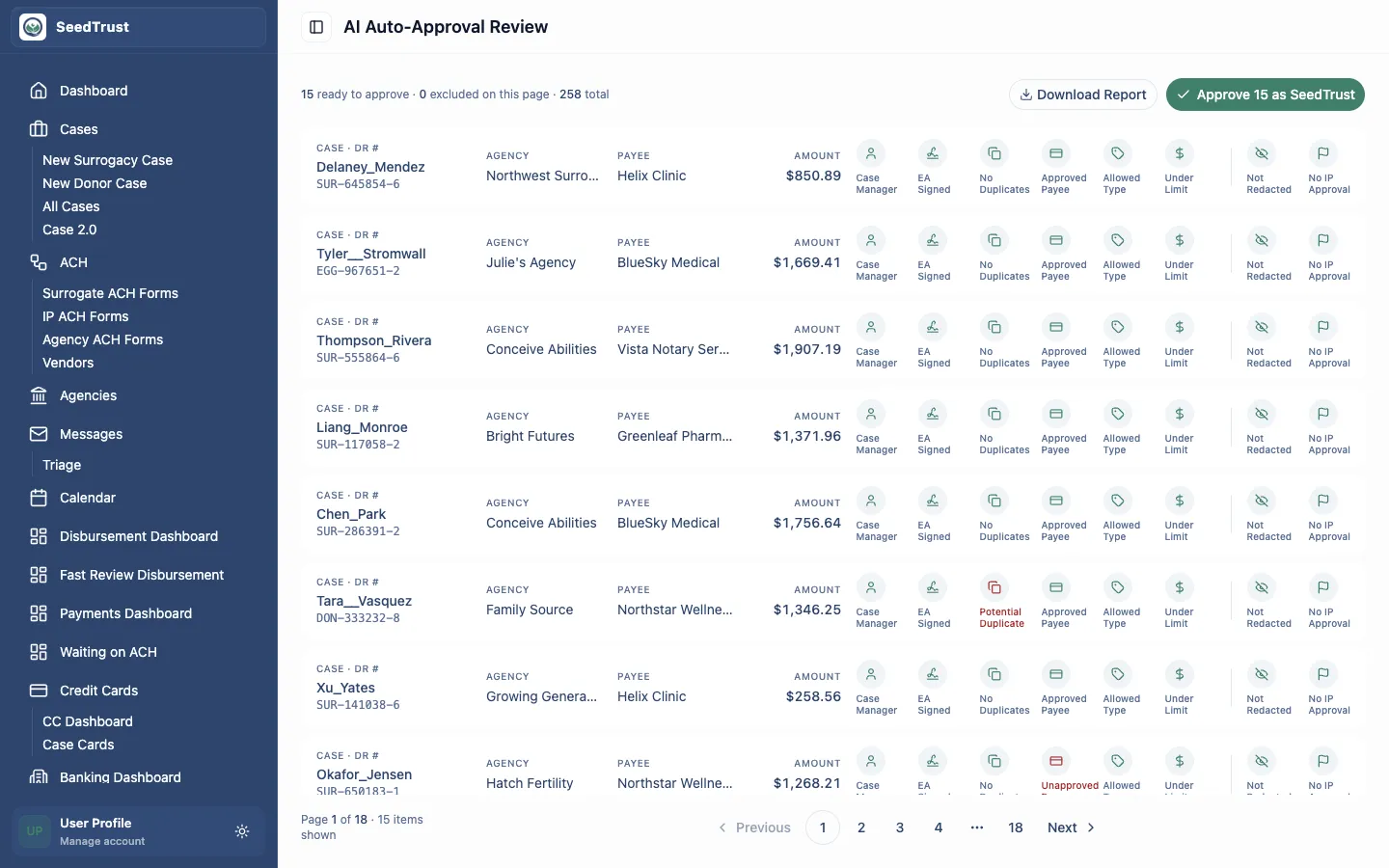
  • Fast review for routine DRs the AI expects SeedTrust can approve after a quick human scan.

Queue

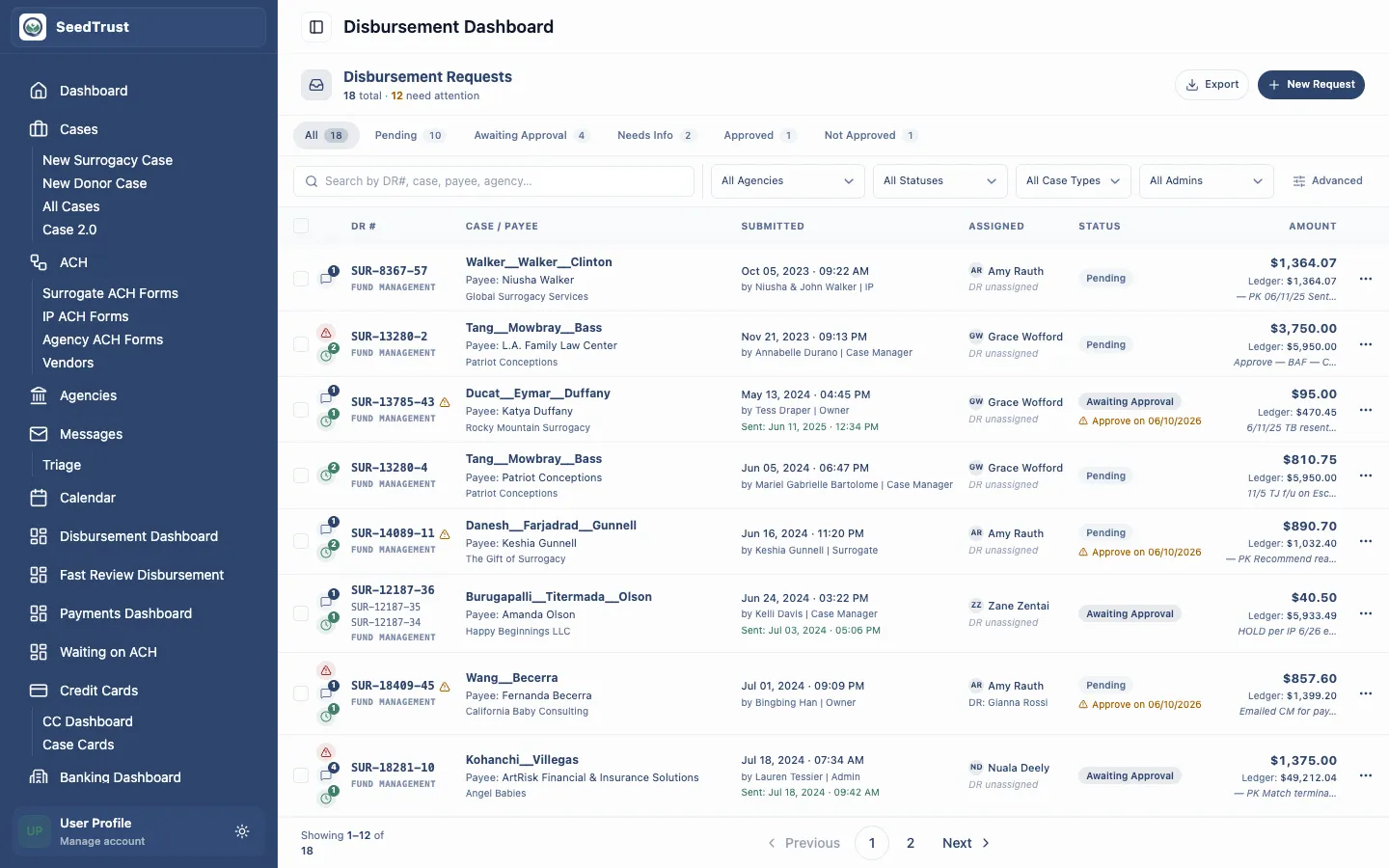
The disbursement dashboard is the intake and filtering surface for staff reviewing active DRs.

Workspace

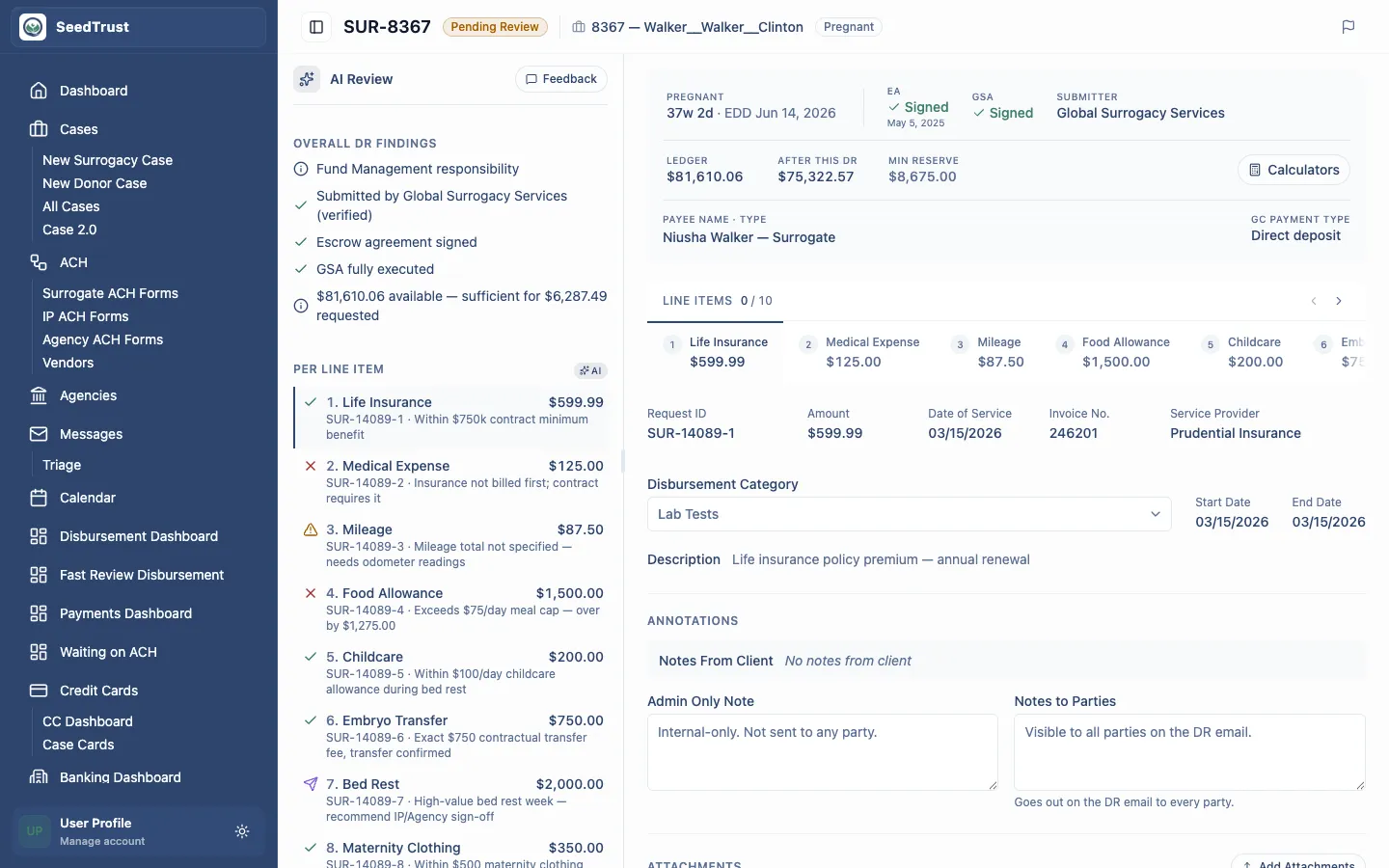
The review workspace focuses one DR at a time, including line items, AI findings, supporting documents, notes, and decisions.

Fast Review

The fast-review surface lets staff exclude suspicious rows, then approve the remaining routine DRs as SeedTrust.

SurfacePrototype URLPurpose
DR Triage Dashboard/admin/disbursementFind, filter, assign, and open active DRs.
DR Review Workspace/admin/disbursement/dr-001Review a single DR with line-item detail and AI assistance.
Fast Review/admin/fast-reviewBulk-approve routine AI-selected DRs with exclusion and undo.
  1. Staff start from the dashboard and filter the queue by status, assignment, case details, amount, and special flags.
  2. Opening a DR moves the reviewer into the detail workspace, where they inspect case context, documents, notes, ledger signals, and AI analysis.
  3. The reviewer approves, denies, requests more information, or sends an item for approval.
  4. Routine DRs that meet the auto-approval criteria can be handled through Fast Review instead of opening each detail page.
Disbursement dashboard with filters and DR rows Disbursement review workspace with AI review and line item detail Fast Review rows with AI criteria icons and approve controls
  • The prototype uses mock data and does not persist approvals, emails, uploads, payments, or AI feedback.
  • Approvals are sensitive money-movement decisions. Production behavior must preserve audit history for decisions, overrides, exclusions, reminders, uploads, and outgoing communications.
  • Auto-approval remains a reviewed workflow. Items excluded from Fast Review return to the standard DR dashboard for normal review.