DR Review Workspace
Try it in the mockup: /admin/disbursement/dr-001
Who Uses This
Section titled “Who Uses This”The review workspace is for staff deciding one disbursement request at a time. It brings together the request, payee, case context, attachments, AI findings, notes, ledger signals, approval controls, and final status controls.
Review Goals
Section titled “Review Goals”- Confirm whether each requested expense is allowed by the case and contract context.
- Identify missing information, duplicate risk, insufficient funds, or approval blockers before money moves.
- Preserve the distinction between internal notes and client-facing notes.
- Decide whether the request should be approved, denied, held, sent for approval, or returned for more information.
Page Structure
Section titled “Page Structure”| Area | Purpose |
|---|---|
| Header information | Case, contract, stage, submitted date, request total, ledger balance, and minimum balance. |
| Payee controls | Payee name, payee type, payment method, and ACH reminder context. |
| Approval controls | Staff and party toggles that represent who needs to approve or review the DR. |
| Request tabs | Requests, Notes, Transactions, Change Log, and Recent DRs. |
| Line-item spreadsheet | Editable request rows with amounts, categories, dates, notes, files, and item status. |
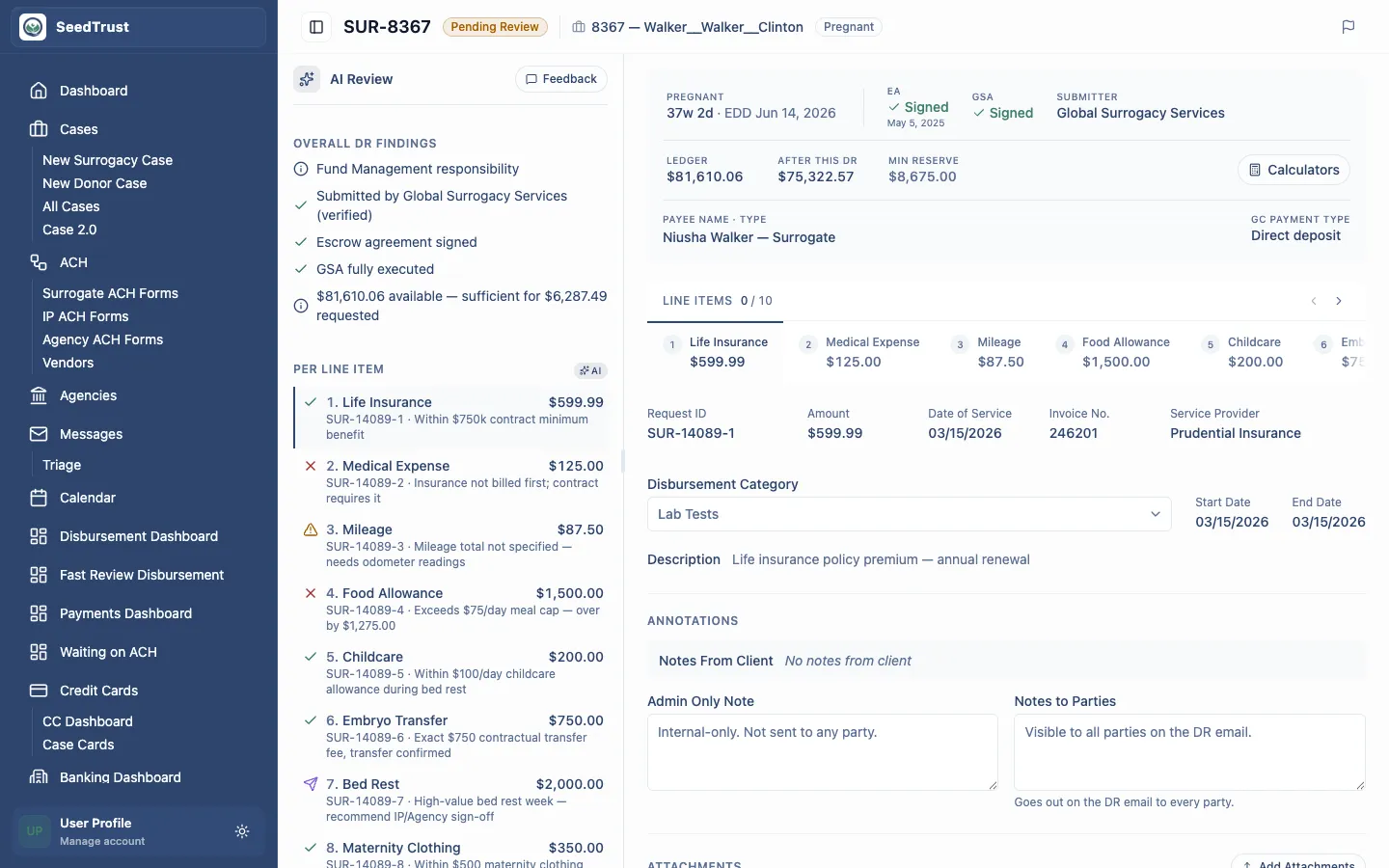
| AI review panel | Contract analysis, verdicts, duplicate checks, case notes, attachment review, and GSA reference links. |
| Bottom status bar | Assignment, internal review, auto-authorization, and request status controls. |
AI Review Modes
Section titled “AI Review Modes”The detail page demonstrates multiple review models.
Per-Item AI
Section titled “Per-Item AI”DRs with per-item AI show a verdict for each line item. The selected line item controls the AI panel, and the selected column is visually connected to its verdict.
The AI panel includes:
- Decision: allow, deny, or insufficient information.
- Confidence percentage.
- Relevant contract section.
- Contract limit and amount comparison.
- Reasoning.
- Case notes.
- Duplicate detection.
- Attachment findings.
Overall AI
Section titled “Overall AI”Some DRs show one overall recommendation for the entire request. The panel summarizes contract sections, limits, amount comparison, duplicate signals, case notes, and attachments across all line items.
Flagged line items sit near the top of the panel so staff can see why the overall recommendation is not a simple allow.
Review Wizard
Section titled “Review Wizard”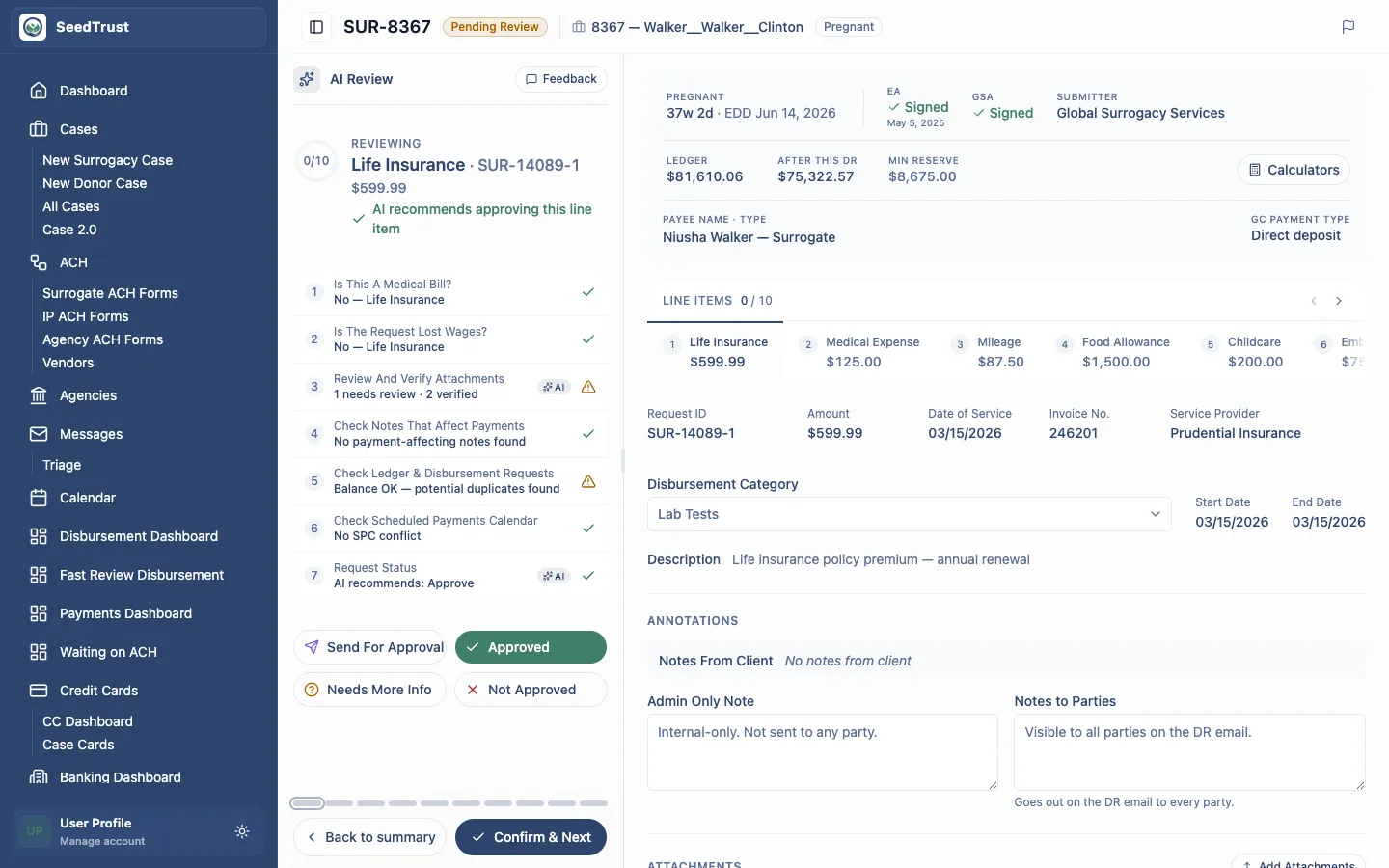
The wizard supports a line-item-by-line-item review flow. Staff can move through items, inspect AI checks, stage a decision, add required notes for negative or escalation outcomes, and continue until the request is complete.
Decision options include:
- Approved
- Not Approved
- Needs More Info
- Send For Approval
The workflow gates sensitive decisions. For example, approval can be disabled when a request is blocked until a future approval date.
Follow-Up DRs
Section titled “Follow-Up DRs”When a request needs more information or approval, the prototype demonstrates follow-up DR states.
Needs Info
Section titled “Needs Info”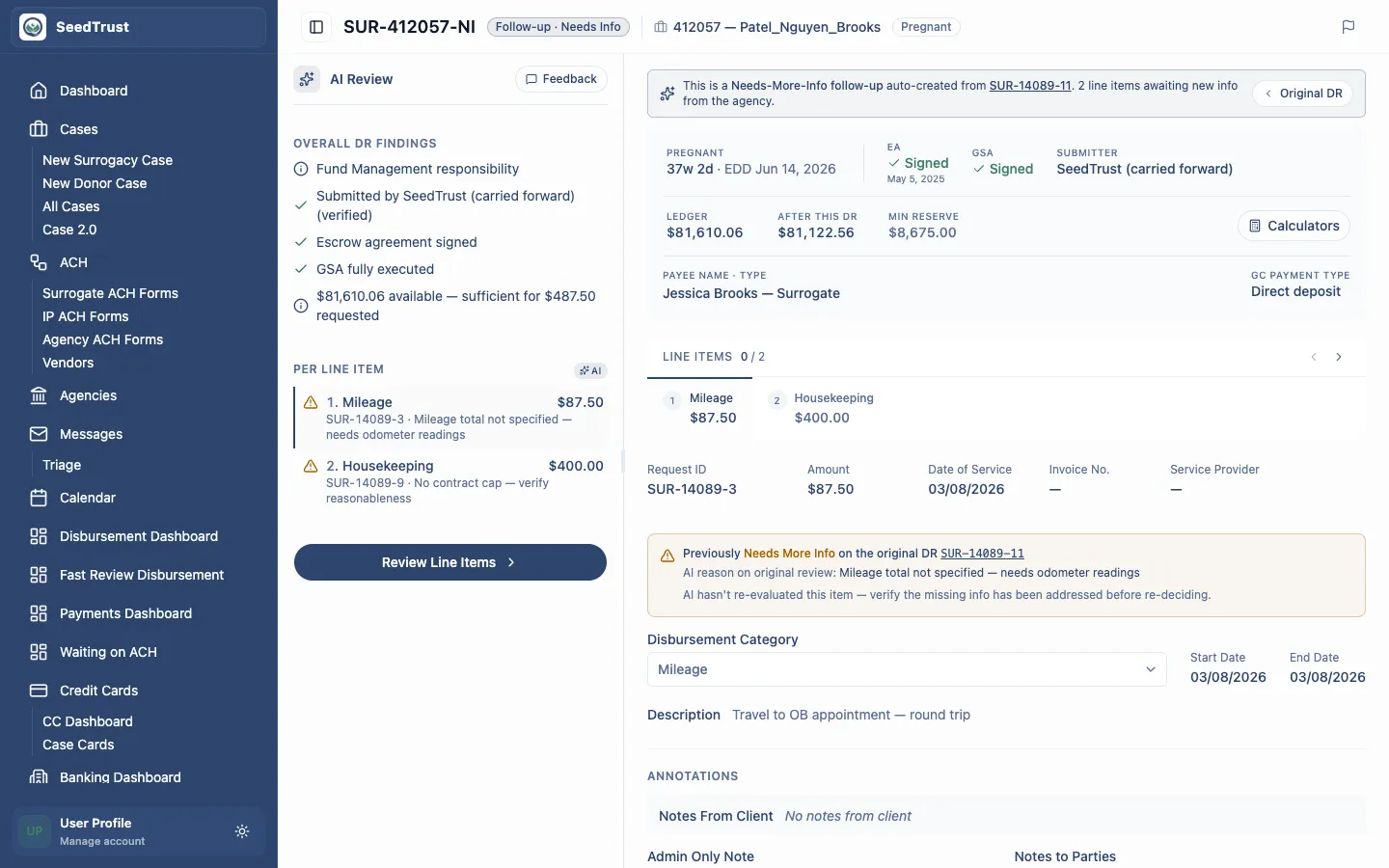
Needs-info follow-ups carry the line items that require more detail from the submitter. The page preserves the original decision context and shows what still needs resolution.
Send For Approval
Section titled “Send For Approval”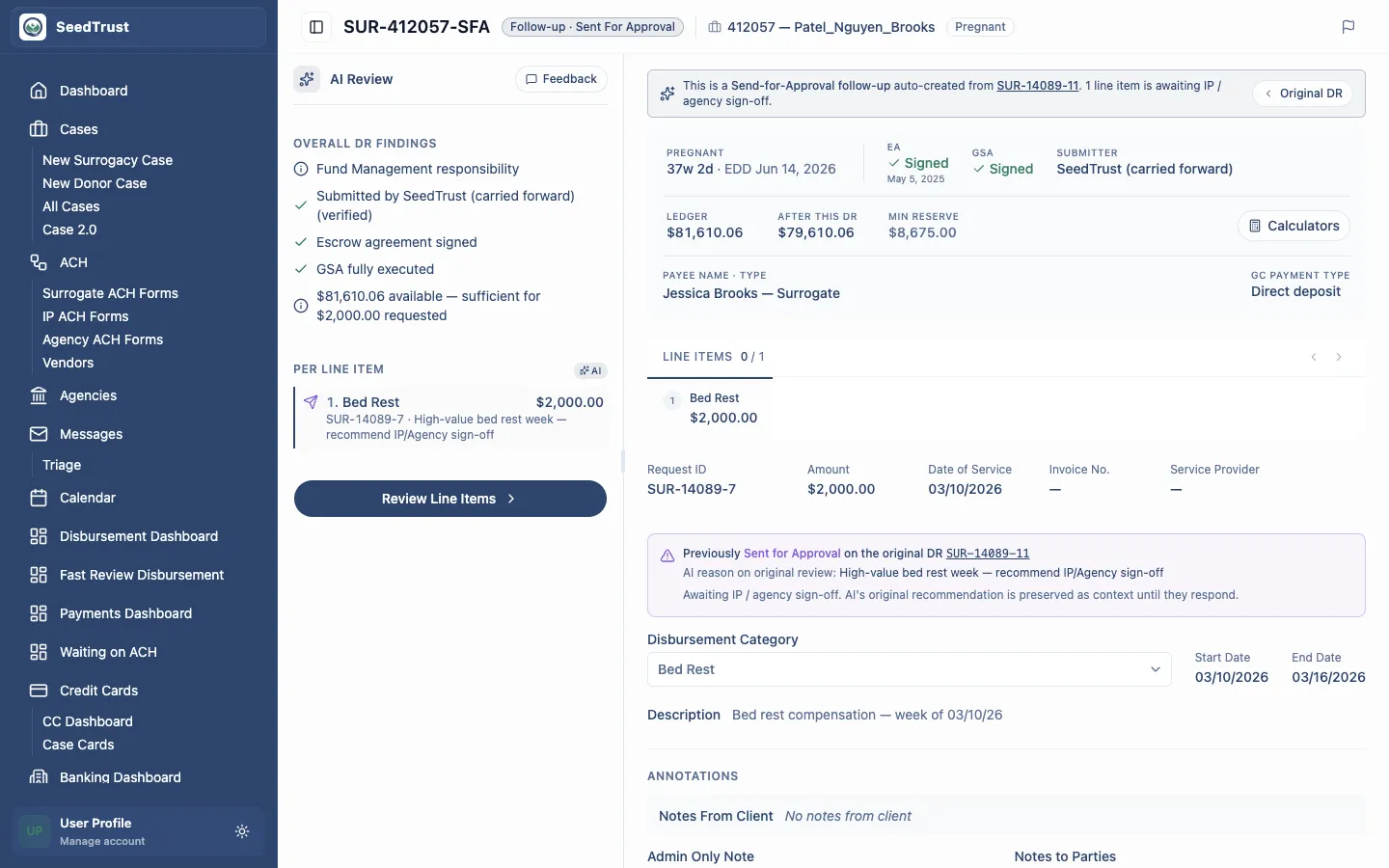
Send-for-approval follow-ups carry items that require IP, agency, or other party sign-off. The reviewer selects recipients and approval timing rather than relying on a silent default.
Important Business Rules
Section titled “Important Business Rules”- Wait-for-approval dates block approval but do not block denial, escalation, or requests for more information.
- AI findings assist review; they do not replace the reviewer or erase audit requirements.
- Contract references must remain available near the decision because staff need to validate AI-cited terms.
- External party notes and internal staff notes are separate surfaces.
- Attachment uploads in the prototype are local session artifacts and do not represent a production document pipeline.
Mocked Behavior
Section titled “Mocked Behavior”All request data, ledger entries, contract sections, AI findings, files, and follow-up states are sample prototype data. Sending, reminders, uploads, AI feedback, status changes, and approvals are UI-only demonstrations.